Posts

How to Remove Unwanted Lines in Word 2007, 2010, and 2013

For some reasons, unwanted lines occasionally appear in Microsoft Word and it is very difficult to delete. You cannot click on it, you cannot delete it and even when you select all and press delete, it will back again and your every effort will become useless. These lines can be Gridlines, Drawinglines, Footnotes, Vertical lines, Horizontal lines, Borders or else. It can be also occur when you copy and paste texts from unsupported file type or online. Here I will explain that how you can remove these unexpected or unwanted lines from Microsoft Word 2007, 2010 and 2013. Remove unwanted Borders from Word Document: The most upsetting lines in Word documents appear to be paragraph and page borders. These paragraphs borders can appear if the “automatic border” option is enabled in AutoCorrect. You can easily remove this by selecting these lines and pressing the Delete key but sometimes it does not work.
Excel Tip: Work Faster in Excel with these wonderful Keyboard Shortcuts

The amazing thing about the keyword shortcuts is that you can do most of the things in Excel without using Mouse. While working with massive sheets of data and creating super-detailed reports in Microsoft Excel, I have found that switching from typing on keyboard to using mouse is the most time-consuming part of using MS Excel. It breaks flow and adds extra time to finish the work. So I have learned some keyboard shortcuts that make working with Excel a little bit easier and faster. Here are a few tips and tricks to utilizing keyboard shortcuts in Excel that speed-up your work.

QuickBooks for Mac 2014 Gives You Many Reasons to Upgrade

Image
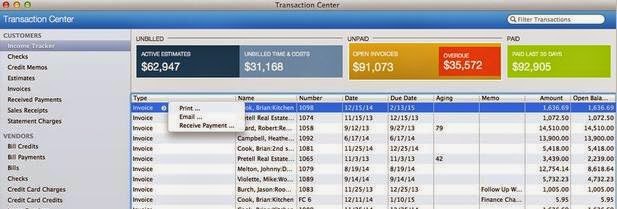
Most of the Accountants choose QuickBooks Mac for a diversity of reasons and the major one being its simplicity and usability. In previous version of QuickBooks for Mac 2014, Intuit had added some new import features, the option to attach external documents, and the addition of the Intuit Payment Network. Now, QuickBooks for Mac 2014 allows bookkeepers and business owners to create invoices, bill time, track sales, expenses and payroll quickly. QuickBooks software is more than 20 years old now and hundred of new features have been added over the years to its Windows versions and Mac versions. It contains numerous valuable new and improved features for accountants and their clients.

MS Excel Functions: Frequently Used Mathematical and Text Formulas in Excel

Image
Formula is one of the most important features of Excel, which allow you to perform different kind of operations in its cell content. It helps when you are stuck on data and need to get done your task quickly. Microsoft Excel offers over 300 functions to let you do much more in your spreadsheet once you master them. In this article; you will learn about frequently used formulas in Mathematical and Text function categories.

Whats New for You in the Microsoft Office Web Apps? Check it Out

Image
Microsoft Office Web Apps: Microsoft Office Web Apps are online versions of the core MS Office applications. These are touch-friendly web applications that allow you to create, edit and share your Excel, Word, PowerPoint and OneNote files from any browser. Real-time co-authoring is the latest major updates introduced by Microsoft in Office Web Apps. It allow s more than one user to work on same files simultaneously without conflicts in editing, just like Google docs.

Microsoft Word – Do your Job Faster with These 7 Tips and Tricks

Image
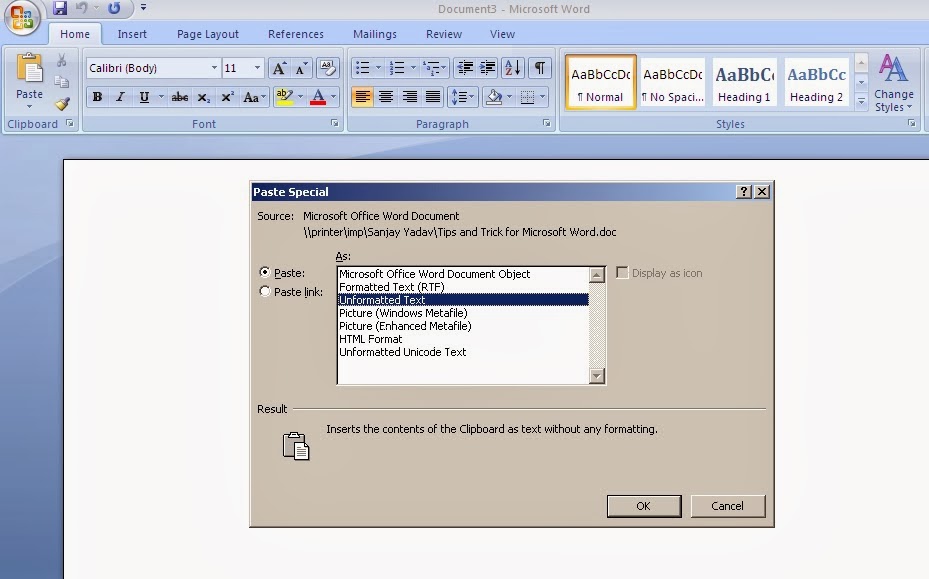
Microsoft Word is a vast and powerful program that can do thousand of things. It is an complex program with many secret techniques that can be hard to find in MS Office suite. However, there are over 1 billion Microsoft word users in the world, and it is still most popular word processor among users. Here are some helpful tips and tricks for Microsoft Word that will help you get things done faster and it can greatly improve your efficiency.

How to Fix “PowerPoint Failed to Load Hlink.dll” Error of MS PowerPoint

You may get any of the two below mentioned error messages while viewing your PowerPoint presentation: “ Microsoft PowerPoint "hlink.dll" can't be loaded. ” Or “ Microsoft PowerPoint failed to load "hlink.dll". ” Cause : This issue is encountered when Hlink.dll file gets corrupt or is missing. Sometimes, this issue occurs when this file is of wrong version.