Posts

Showing posts with the label Repair PowerPoint file

How to Solve Error “The file is corrupt and cannot be opened” in Excel 2010
Image
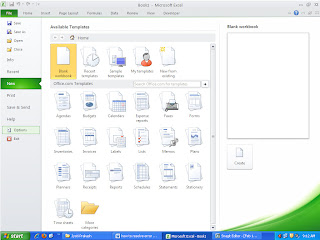
One of the MS Excel user got below error message, when he tried to open an .xls file in MS Excel 2010. “ The file is corrupt and cannot be opened ” Here's the complete scenario: User was using MS Office 2007 on his PC for data maintenance & document writing. He had recently upgraded his MS office program from 2007 to 2010. He had got a spreadsheet (spreadsheet.xls) from his friend. When he tried to open the file; got above error message. When he tried to open the file on another computer with MS office 2007; file was opening successfully. File was not corrupted.

Resolving PowerPoint 2003 error “There was an error accessing Filename.ppt.”

Image
I am sure every PowerPoint user must have faced corruption issue in their Presentation. Since lot of hard work and creativity are required to create a single presentation and if presentation (PPT) gets corrupt, all your hard work can go in vain. In this scenario, you cannot open or save your PPT file and receive strange error message. Most of the time the reason behind error message is corruption in PowerPoint file. So the best way to get back your data is restore from its backup but unfortunately you don't have backup then try a 3rd party PowerPoint repair tool . Consider a scenario wherein, you are working on your newly created PPT and encounter below error message when try to save it in PowerPoint 2003:

How to open a file that is blocked by registry policy setting in PowerPoint 2010, 2007 or 2003?

PowerPoint is an extremely useful tool for creating presentations. You can create high quality presentations with videos, images, sounds, formating and many more by using it. There are some instances where you fail to open your Word document and may receive strange error messages. One of the error message that you might encounter while trying to open your Word file is “ You are trying to access a file that is blocked by registry policy settings ”. Let’s discuss the cause of the above error message.